How to File ITR Online in 2026: Step-by-Step Guide
Filing your Income Tax Return (ITR) online is mandatory for most Indian taxpayers. This step-by-step guide covers everything from choosing the correct form to verifying your return — including the changes introduced by the Income Tax Act, 2025.
Who must file an ITR?
You must file an ITR if any of the following apply to you for FY 2025-26:
- Your gross total income exceeds the basic exemption limit (₹2.5L old regime / ₹3L new regime)
- You deposited more than ₹1 crore in a bank savings account during the year
- You spent more than ₹2 lakh on foreign travel
- You spent more than ₹1 lakh on electricity during the year
- Your TDS/TCS exceeds ₹25,000 (₹50,000 for senior citizens) and you want a refund
- You have income from foreign assets or are a signing authority on a foreign account
- You have business income above the basic exemption limit
Many taxpayers with incomes below ₹12 lakh assume they don't need to file since their tax is zero. This is incorrect. If you had income above the basic exemption limit, you are still required to file — zero tax does not mean zero filing obligation.
Step 1: Choose the right ITR form
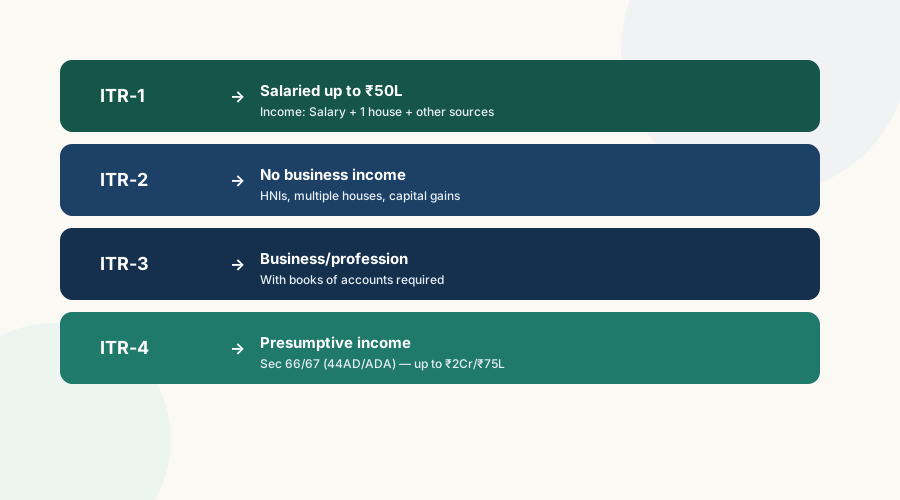
| Form | Who should use it | Key condition |
|---|---|---|
| ITR-1 (Sahaj) | Resident salaried individuals | Gross income ≤ ₹50L; income from salary + 1 house property + other sources only |
| ITR-2 | Individuals/HUFs with no business income | Capital gains, multiple properties, foreign assets, income > ₹50L |
| ITR-3 | Business or professional income with books | Any income from business/profession with maintained books of account |
| ITR-4 (Sugam) | Presumptive income taxpayers | Business (Sec 66 / old 44AD) up to ₹2Cr or professional (Sec 67 / old 44ADA) up to ₹75L |
| ITR-5 | Firms, LLPs, AOPs, BOIs | Non-corporate entities other than individual/HUF |
| ITR-6 | Companies (other than Sec 11) | All companies except those claiming exemption under Section 11 |
| ITR-7 | Trusts, political parties, institutions | Entities filing under Sections 139(4A) to 139(4F) |
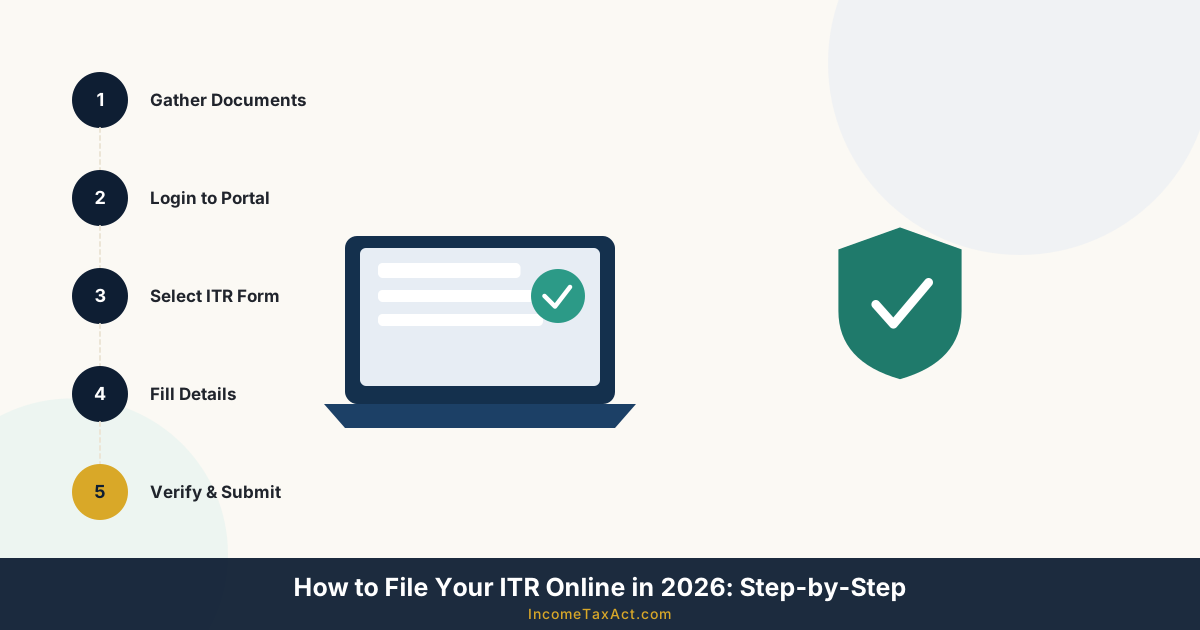
Step 2: Gather your documents
Before logging in to the portal, keep these documents ready:
- Form 16 — issued by your employer by 15 June 2026 (for FY 2025-26)
- Form 26AS / AIS / TIS — from TRACES / income tax portal showing all TDS credits
- Bank statements — interest income, savings account details
- Investment proofs — ELSS, PPF, LIC premium receipts (for old regime filers)
- Rent receipts / HRA documents — landlord's PAN if rent > ₹1L/year
- Home loan statement — for interest and principal deduction (old regime)
- Capital gains statements — from broker or mutual fund house
- Foreign income / asset details — if applicable (Schedule FA)
Step 3: Login to the Income Tax e-filing portal
- Go to incometax.gov.in and click "Login"
- Enter your PAN number as the user ID
- Enter your password (set during registration) or login via Aadhaar OTP
- Complete two-factor authentication if enabled
- From the dashboard, click "File Now" or navigate to e-File → Income Tax Returns → File Income Tax Return
Step 4: Fill your return
The portal pre-fills significant data from your AIS and Form 26AS. Review and verify each field:
- Personal information — verify name, PAN, address, bank account details (for refund)
- Income details — pre-filled salary, TDS, bank interest; add any missing income
- Tax regime — select new regime (default) or explicitly opt for old regime here
- Deductions — if using old regime, enter Section 123 (80C), 124 (80D), HRA, home loan interest
- Tax computation — portal auto-calculates tax, rebate, TDS credit, and balance
- Pay any balance tax — if tax payable > TDS, pay via Challan 280 before submitting

Filing deadlines (FY 2025-26)
| Category | Original Deadline | Belated Return |
|---|---|---|
| Salaried / non-business (ITR-1, ITR-2) | 31 July 2026 | 31 December 2026 |
| Self-employed non-audit (ITR-4) | 31 August 2026 (new Act) | 31 December 2026 |
| Business requiring audit (ITR-3) | 31 October 2026 | 31 December 2026 |
| Audit cases with partner firm audit (ITR-3) | 30 November 2026 | 31 December 2026 |
Filing after the original deadline (belated return) attracts a penalty of ₹5,000 under Section 271F (₹1,000 if income is below ₹5L). Additionally, you cannot carry forward certain losses (e.g., capital loss, speculative loss) if you file late.
Step 5: e-Verify your return
Submitting your ITR is not enough — you must verify it within 30 days of filing. An unverified ITR is treated as not filed. Verification options:
- Aadhaar OTP — fastest method; OTP sent to Aadhaar-linked mobile
- Net banking — login via your bank's net banking portal and verify from there
- Bank ATM — generate EVC at select bank ATMs
- Demat account — via CDSL or NSDL SPEED-e
- Physical ITR-V — print, sign in blue ink, and post to CPC Bangalore within 30 days (slowest)
After filing: what happens next
Once verified, the Income Tax Department processes your return. You will receive:
- An acknowledgement email to your registered email address
- An intimation under Section 142 (new Act) if the department has queries
- A refund credited directly to your bank account (usually within 7–60 days if no discrepancies)
- A scrutiny notice (if your return is selected for detailed assessment) — much rarer
Get your documents in order before filing
Expanding File Folder 13 Pockets
Perfect for organising Form 16, AIS printouts, investment certificates, bank statements, and rent receipts before ITR filing.
View on Amazon →Portable Document Scanner
Scan and digitise all your tax documents — Form 16, property papers, investment proofs — for safe digital storage.
View on Amazon →Fireproof Filing Cabinet
Protect original documents like PAN card, property deeds, and Form 16 from loss or damage throughout the year.
View on Amazon →ℹ Disclosure: IncomeTaxAct.com is a participant in the Amazon Services LLC Associates Program. We earn a commission at no extra cost to you when you purchase through our links. Read our full affiliate disclosure.
For salaried employees and non-business filers, the deadline is 31 July 2026. For self-employed individuals under presumptive taxation who don't require an audit, the new Income Tax Act, 2025 extends this to 31 August 2026. For businesses requiring a tax audit, the deadline is 31 October 2026. Belated returns can be filed until 31 December 2026 with a penalty.
Yes. Form 16 is not mandatory for filing — it is a convenience document. You can file your ITR using your salary slips, bank statements, Form 26AS, and AIS data available on the income tax portal. The AIS (Annual Information Statement) shows all income and TDS data that the department has received about you.
If your income exceeds the basic exemption limit and you don't file, you can face a penalty of ₹5,000 (₹1,000 if income below ₹5L), interest on unpaid tax at 1% per month under Section 234A, prosecution in severe cases, and loss of ability to carry forward capital losses or business losses.
Related Guides